


Sign up newsletter & Get 10% OFF coupon today subscribers.

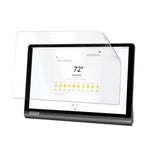
Hydrogel Screen Protector for Lenovo Yoga Smart Tab
$37.98
Provide your Yoga Smart Tab with a soft, ultra-thin hydrogel film that protects against light scratches and scuffs while preserving the tablet’s natural touch feel and screen clarity. Main Features One high-quality hydrogel / TPU...
Available:
In stock
Category:
The Benefits of Choosing Us
Orders ship within 1 to 3 business days.
Free Express Shipping on orders $60
Provide your Yoga Smart Tab with a soft, ultra-thin hydrogel film that protects against light scratches and scuffs while preserving the tablet’s natural touch feel and screen clarity.
Main Features
- One high-quality hydrogel / TPU film for daily protection
- Self-healing surface reduces minor marks over time
- High transparency for clean viewing
- Maintains original touch sensitivity
- Easy, bubble-free installation
Installation Instructions:
- Remove your old screen protector
- Clean the screen with the wipes provided. First the wet wipe then the dry wipe.
- Remove the hydrogel screen protector from the card
- Lift each corner carefully ensuring that you keep the back plates attached
- Align the screen protector on your tablet & stick it in place
- Use the scraper provided or a bank card to stick the centre of the screen protector in place
- Gently remove the bottom back plate & flatten on to the screen
- Now peel off the top back plate & flatten
- Press out the air bubbles with the scraper provided or a bank card
- The remaining bubbles will disappear on their own in a few days
- Now remove the top film & enjoy your new screen protector
- Future scratches can be blended out with the scraper provided or a bank card
Description
Provide your Yoga Smart Tab with a soft, ultra-thin hydrogel film that protects against light scratches and scuffs while preserving the tablet’s natural touch feel and screen clarity.
Main Features
- One high-quality hydrogel / TPU film for daily protection
- Self-healing surface reduces minor marks over time
- High transparency for clean viewing
- Maintains original touch sensitivity
- Easy, bubble-free installation
Installation Instructions:
- Remove your old screen protector
- Clean the screen with the wipes provided. First the wet wipe then the dry wipe.
- Remove the hydrogel screen protector from the card
- Lift each corner carefully ensuring that you keep the back plates attached
- Align the screen protector on your tablet & stick it in place
- Use the scraper provided or a bank card to stick the centre of the screen protector in place
- Gently remove the bottom back plate & flatten on to the screen
- Now peel off the top back plate & flatten
- Press out the air bubbles with the scraper provided or a bank card
- The remaining bubbles will disappear on their own in a few days
- Now remove the top film & enjoy your new screen protector
- Future scratches can be blended out with the scraper provided or a bank card

Free Shipping
Free Shipping for orders over $60

Money Guarantee
Within 30 days for an exchange

Online Support
24 hours a day, 7 days on week

Flexible Payment
Pay with Multiple Credit Cards
Recently Viewed Products

